When Viewing an Email Is the Attack
CISA's July 23 advisory describes a campaign in which a vulnerable webmail client can be compromised when a user merely views a malicious message.
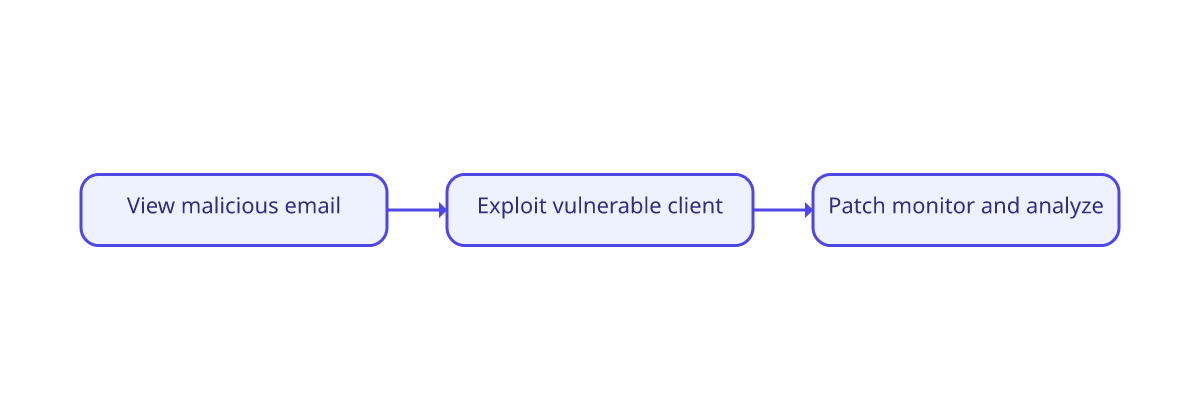
Most anti-phishing advice assumes the dangerous moment is a click. Do not open the attachment. Do not follow the login link. Inspect the sender. Those habits still matter, but a July 23, 2026 advisory from the Cybersecurity and Infrastructure Security Agency describes a different failure mode: malicious code executed when a targeted user viewed an email in a vulnerable version of the Zimbra Collaboration Suite webmail service.
CISA and its partner agencies attribute the campaign to Russian state-supported actors tracked under several names, including LAUNDRY BEAR. The advisory says the group exploited CVE-2025-66376, a cross-site scripting vulnerability that had been a zero-day when the activity began. The vulnerability was patched in November 2025, yet CISA reports that exploitation continued against unpatched systems.
The Message Was Only the Delivery Layer
This is important because the email's wording was not the main defense boundary. According to CISA, the malicious JavaScript payload executed when the message was rendered in a vulnerable webmail client. The exploit then attempted to collect email communications, directory information, authentication material, and other account data.
A content classifier might still notice suspicious structure or known indicators, but no reading assistant can patch a vulnerable mail server. The security lesson is to separate two questions: "Does this message look deceptive?" and "Can this message exploit the software that displays it?" A safe workflow needs answers to both.
What Individuals Can Do
People using employer-managed email may not control server updates, but they can report unusual behavior quickly and avoid treating a clean-looking message as proof of safety. If an organization warns that a particular webmail client is vulnerable, use the approved alternative rather than testing a suspicious message yourself. Keep browsers, mail apps, and operating systems current, since rendering and attachment vulnerabilities often sit below the prose a user sees.
For suspicious messages that do require human review, inspect context as well as grammar. Does the request fit the sender's normal behavior? Is there an unexpected demand for credentials, payment, or secrecy? Does the visible sender match the actual address? Modern phishing can be fluent, so awkward language is no longer a dependable filter.
What Administrators Must Add
CISA urges organizations using Zimbra to confirm they are not running a vulnerable version and to apply the available update. If immediate patching is not possible, the advisory recommends using alternative mail clients and avoiding the vulnerable classic webmail client. It also recommends logging and network monitoring that can expose unusual outbound transfers or suspicious DNS patterns.
That creates a layered model: patch the renderer, harden authentication, monitor for exfiltration, train users, and analyze message content. No single layer can carry the whole burden. A phishing detector helps with social engineering; software maintenance and telemetry address exploit-driven attacks.
Practical takeaway: Treat "do not click" as one control, not the security strategy. A message can be dangerous because of what it persuades a person to do or because of what vulnerable software does while displaying it.
Where On-Device Analysis Fits
Veilsort is designed to help a person reason about the content of a suspicious email without sending that content to a new analysis server. That privacy boundary is useful, but it should be described accurately: analysis does not replace mail-server patching, endpoint protection, or incident response. It is one decision-support layer for the human-facing side of email risk.
The CISA advisory broadens the checklist. Before trusting an email, consider the sender, request, links, and language. Before trusting the viewing environment, consider patches, client choice, authentication, logs, and network behavior. Safer email requires both kinds of scrutiny.